See who’s
doing what.
Local conversations become a crew you can follow. Linked helpers and commands stay connected to the work that started them.
A living overviewAll that work happening in your terminals?
Give it a place you can actually see.
Bringing the interface together_
Conversations. Helpers. Commands. Projects.
Crewscape turns local Claude and Codex activity into a living office, so you can follow the work without following every window.
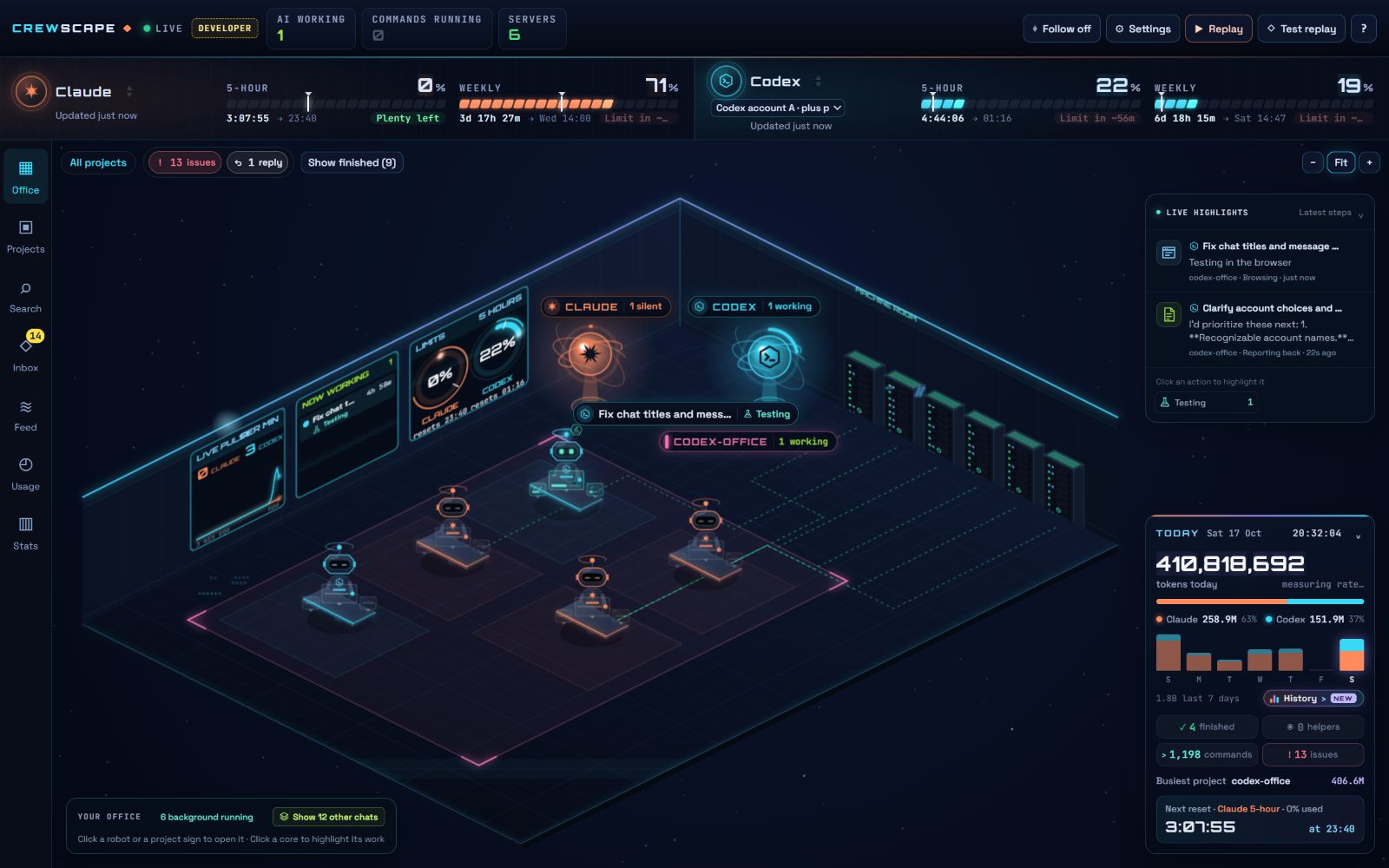
Your tools. Your accounts. A clearer view.
Local conversations become a crew you can follow. Linked helpers and commands stay connected to the work that started them.
A living overviewSpot recorded questions, approvals and issues in the Inbox. Let notifications bring your attention back when it’s needed.
An inbox for the important momentsCheck available usage readings, explore recorded work, and replay how things unfolded. Keep the live office focused on what’s happening now.
Usage · history · replayBuilt for the moments between
“start the task” and “it’s done.”
Follow local work across your projects, then narrow the view when you want to focus.
Bring a project into focus and keep the helpers and work around it in context.
See supported provider usage readings. Availability depends on your account and local setup.
Browse recorded work and replay activity without crowding the live view.
Integrated chats. Better briefs. A crew you put together.
Coming to Crewscape Pro, with you at the important handoffs.
Take an idea from first plan to final review.
Choose an agent to plan the work. Review the plan before the builder starts.
Integrated chat, prompt improvement and crews are upcoming Pro features, separate from the current 3.2.0 public download. Subscriptions are not on sale yet.
Keep your local work in view today.
More control is on the way.
Crewscape Pro will cover app features. Your Claude / Codex subscriptions, usage limits and provider charges stay separate.
A few things worth knowing.
A Windows desktop app that turns supported local Claude Code and Codex activity into a visual office. Follow projects, agents, helpers and recorded work from one place.
Yes. The public release includes the free visual office and monitoring features. Upcoming integrated chats and crew controls will require Pro.
A 64-bit Windows computer, the Crewscape installer, and your own supported Claude Code or Codex setup. Crewscape follows work on the computer where it runs.
No. Your provider account, plan, limits and charges are separate. Pro will unlock Crewscape features, not additional Claude or Codex usage.
Integrated chat, prompt improvement and crew workflows are separate development work. They are not included in the current public download. Pro subscriptions are not on sale yet.
The office reads supported activity on your computer. Upcoming chats use your chosen provider. Billing is designed to verify subscriptions without receiving project files or chat content. The final privacy policy will describe the production setup before sales open.
Find installer files and release notes in the official GitHub releases.
A clearer view of the work.
A little more room to think.
The installer opens from the official GitHub release. If the download doesn’t start, use the release notes link above.